MNE Analyze in Real-time
MNE Analyze is able to listen in to MNE Scan's real-time capabilities and display data on demand.
Setup
Make sure MNE Scan and MNE Analyze are running from the same directory. Setting up MNE Scan and MNE Analyze can be done in any order.
MNE Scan
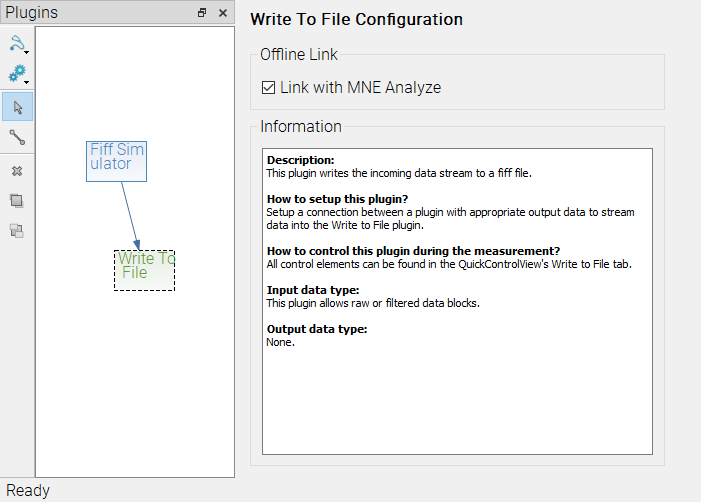
- Add the 'Write To File' plugin to the plugin scene and connect it to the source of the data.
- Check the 'Link with MNE Analyze' checkbox.
MNE Analyze
- From the
Filemenu, selectOpen MNE Scan Session

Using in realtime
- Start MNE Scan recording. You should see an MNE Analyze button next to a blinking recording button.

- Click the MNE Analyze Button to open the recording up until the present in MNE Analyze.